Run your kitchen showroom from one place.
Salone keeps clients, configurable orders, meetings, and files together — so nothing gets lost between the showroom floor and installation day.
14 days free. No credit card required.
The daily reality
Three things that break in every growing showroom.
The spreadsheet nobody updates
It was accurate in March. Since then two designers have kept their own version, and the one on the shared drive quietly stopped meaning anything.
Change orders lost in email
The client approved a different pull, a deeper island, one more cabinet. It is somewhere in a thread, and it is not on the order the supplier received.
Nobody knows when the install actually is
The cabinets have a twelve-week lead time, the countertop template needs the base cabinets in, and the answer lives in one person's head.
How it works
From first walk-in to final install, in one place.
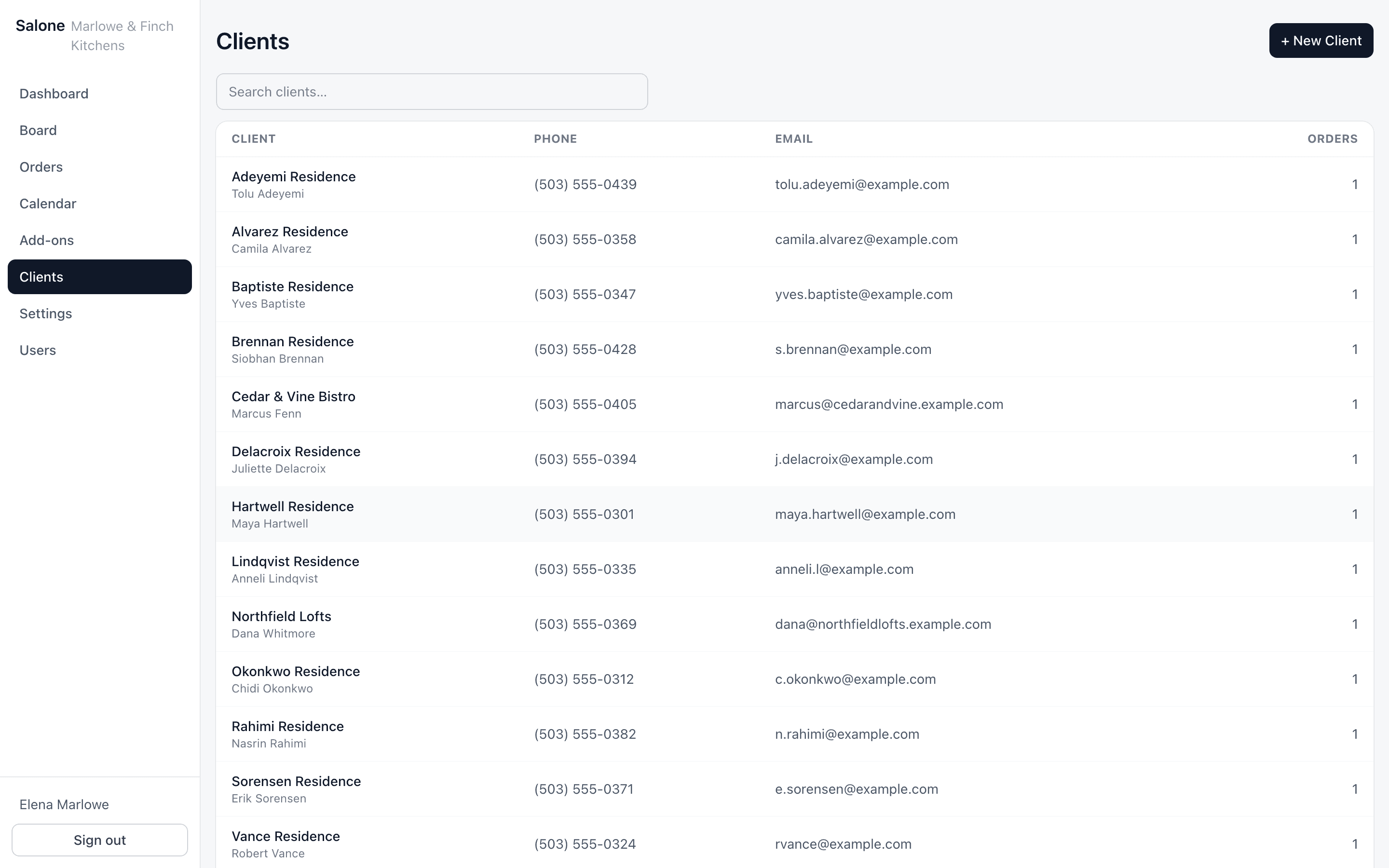
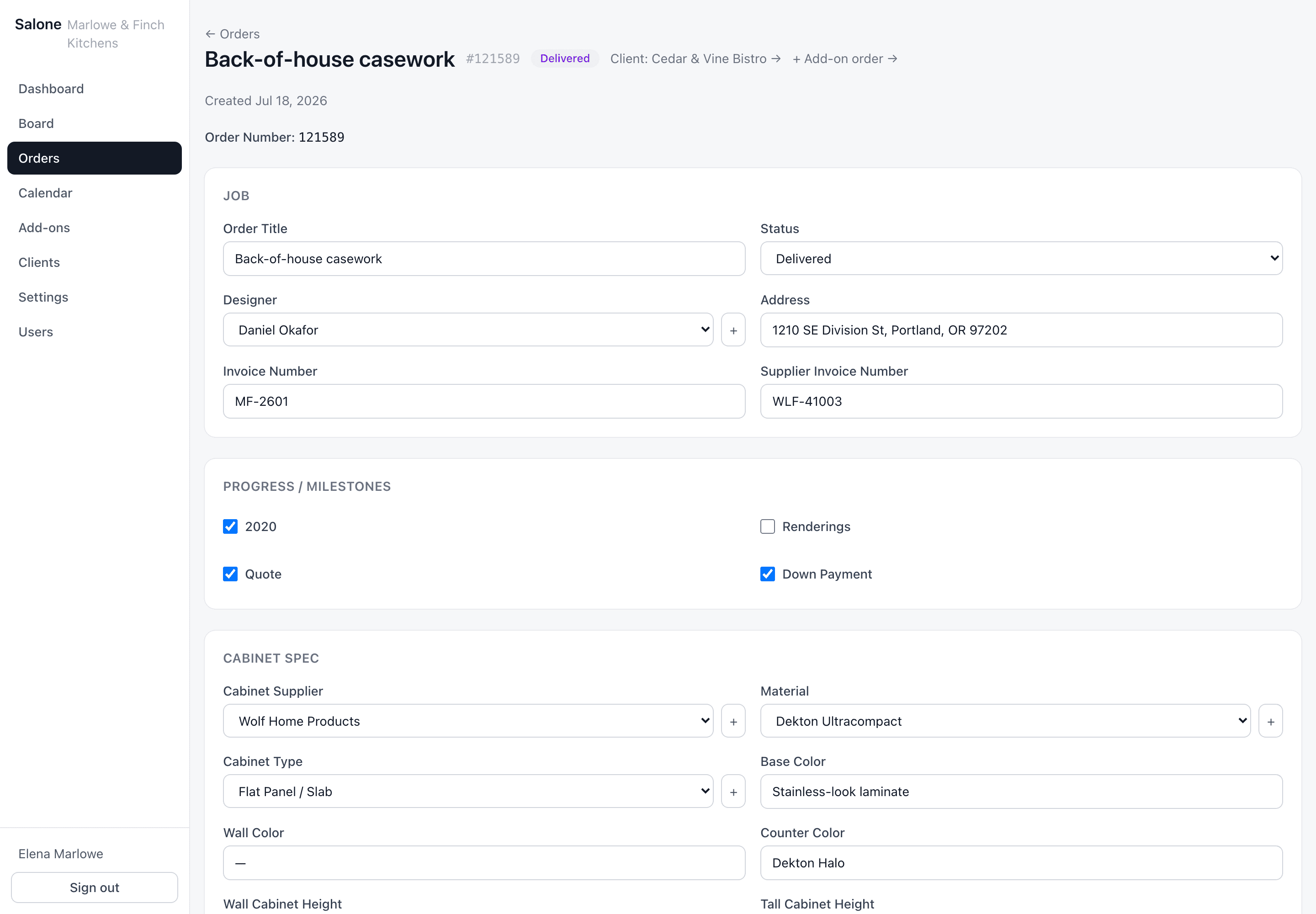
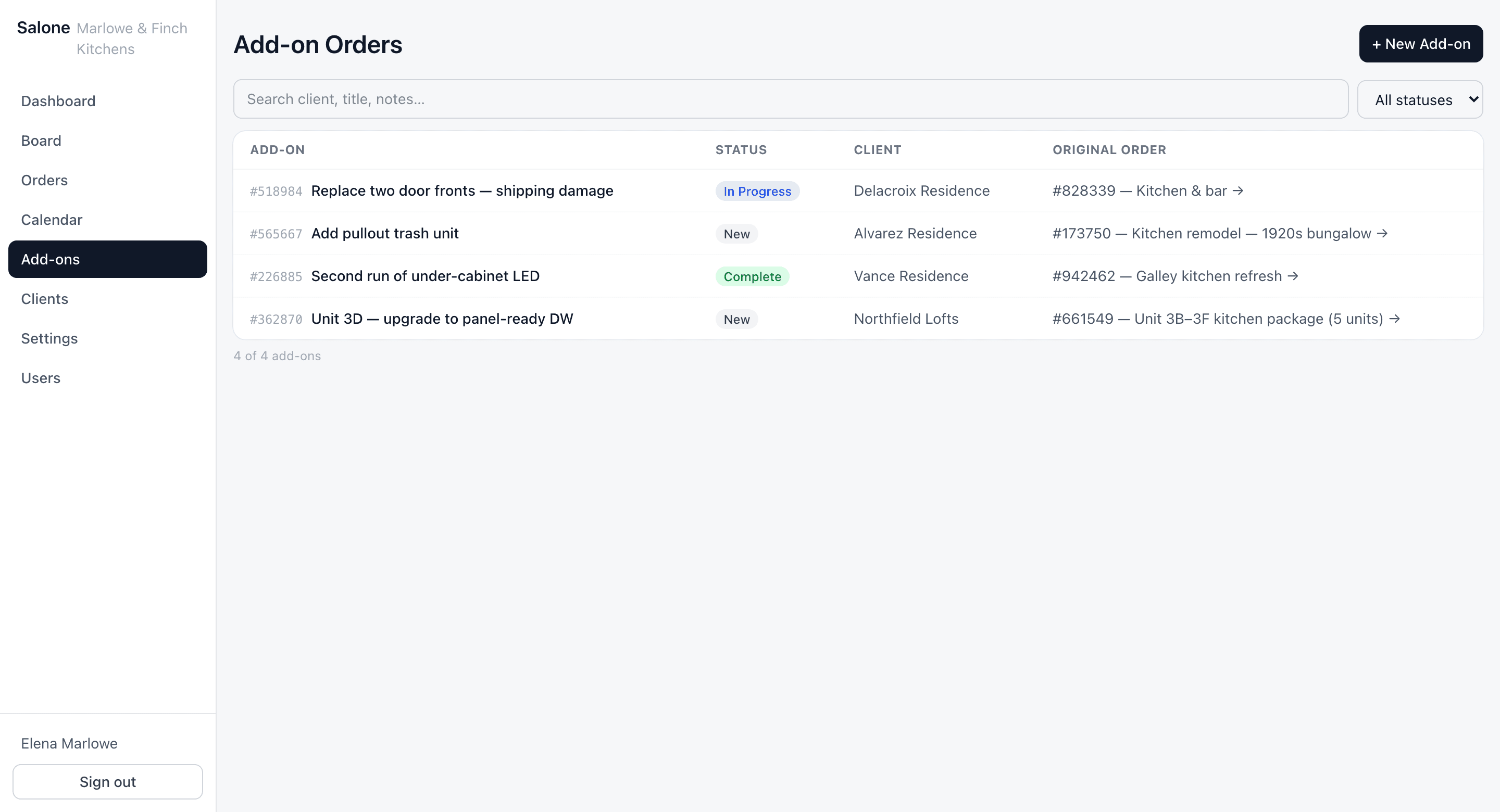
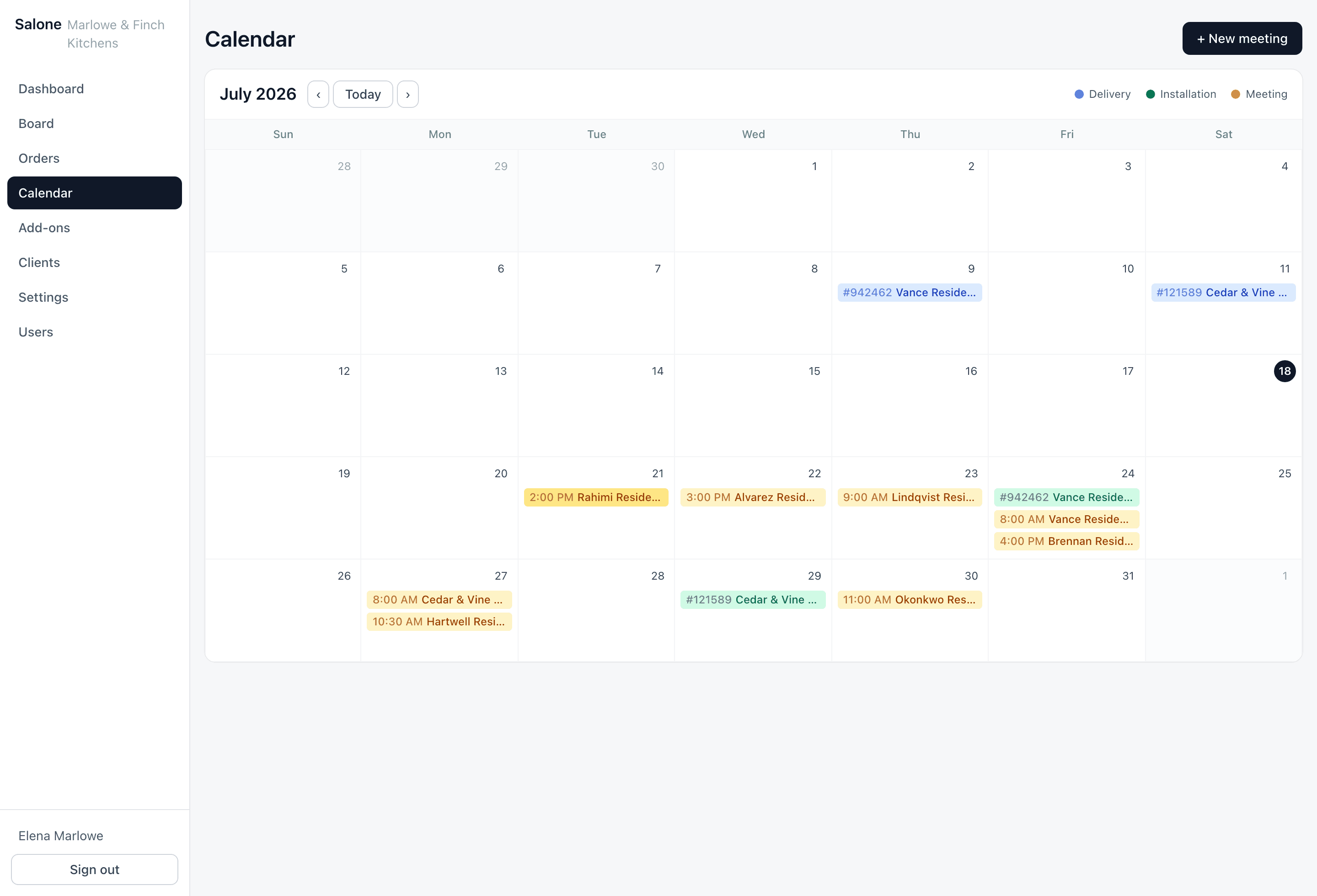
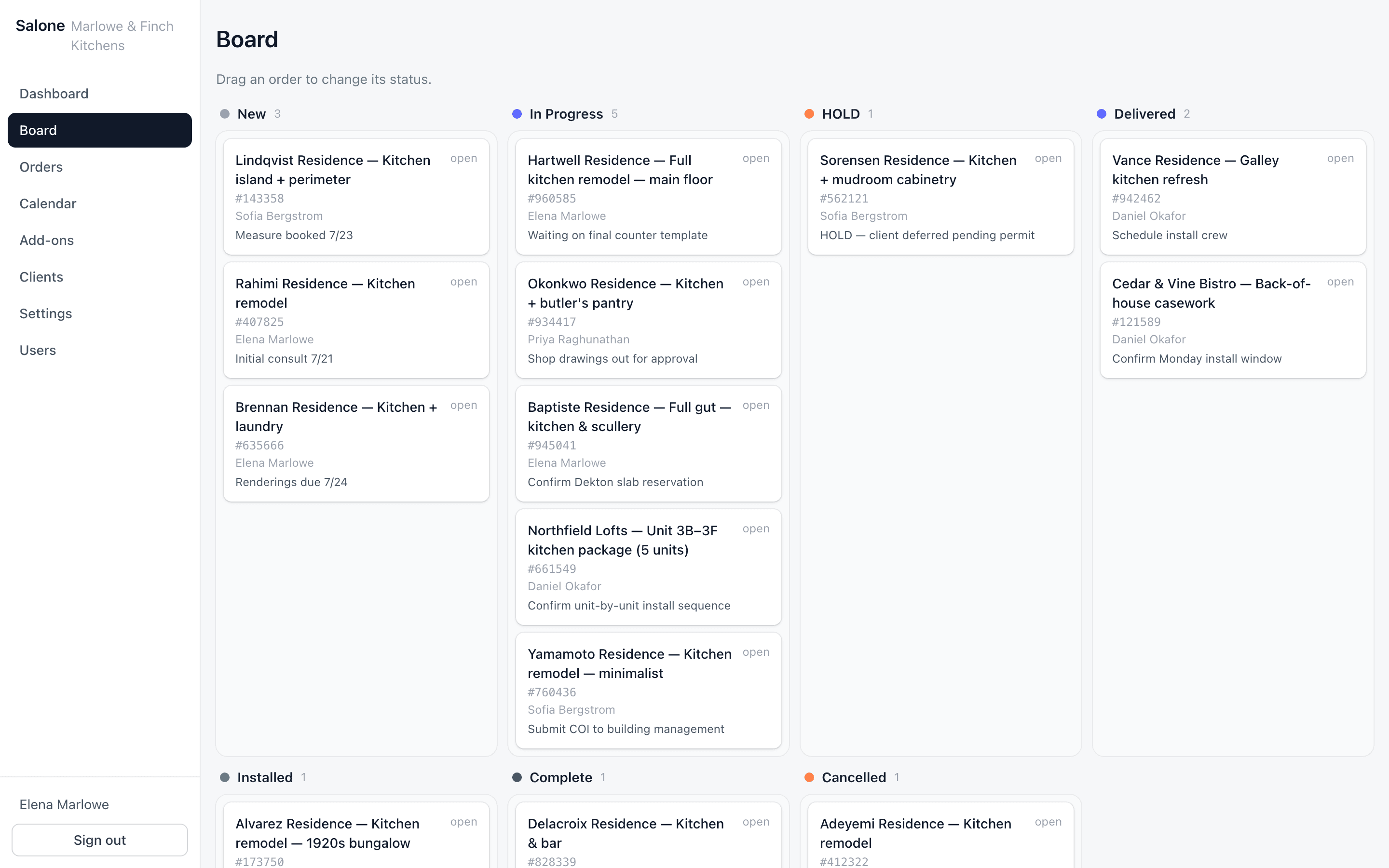
Clients
Every enquiry becomes a client record the moment it walks in — contact details, the orders they've placed, the meetings booked, and whatever extra fields your showroom decided it needs.
Configurable orders
Build your order form. Right here, before you sign up.
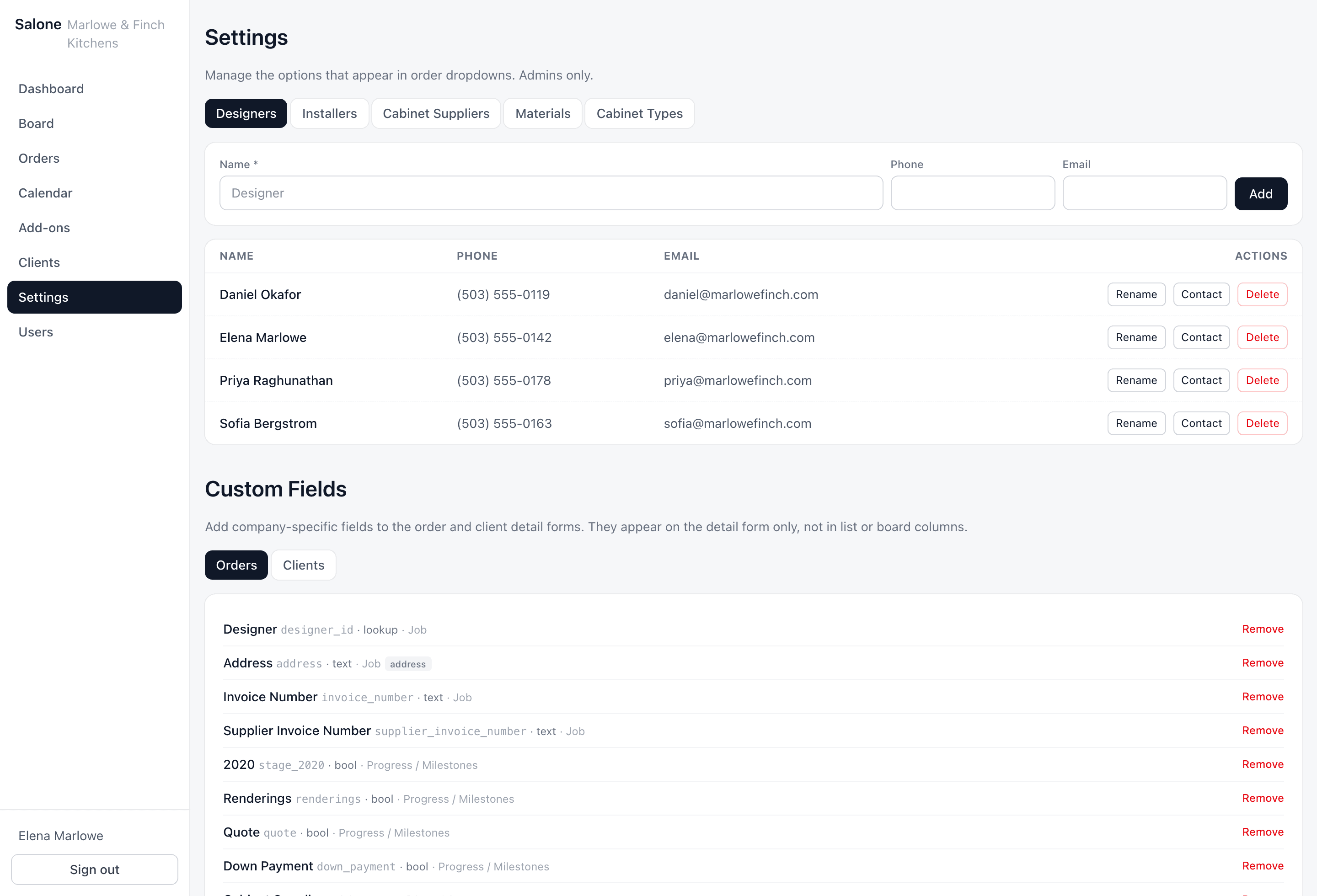
Pick how your showroom works and watch the order screen rebuild itself. No two showrooms track the same things — so Salone doesn’t make them. This is the real thing, running in your browser.
Start from
Design, supply and fit. Cares about the install date.
Fields on the order
← Orders
Hartwell Residence — Full kitchen remodel
#121589In ProgressCreated Aug 2, 2026 · Elena Marlowe
Job
Order title
Status
Designer
Cabinet spec
Cabinet line
Door style
Finish / colour
Countertop material
Installation
Field measure date
Installation datecalendar
Installer
Pricing & costs
Contract valueincome
Cabinet costcost
Install labourcost
13 fields · 4 sections · configured by the showroom, not by us
You just built an order form — no developer, no support ticket, no waiting on us.
Start free trial →And this is the actual screen where you set it up
Try it on your own jobs for two weeks.
Set up your order fields the way your showroom works, put three live jobs in, and see whether it holds.
14 days free. No credit card required.
Honest comparison
What you are probably using now.
Salone is not better than all of these at everything. It is built for one job — running the showroom’s operations — and here is where the alternatives genuinely win.
Spreadsheets
What it does well
Free, instant, and infinitely flexible. For one designer and a handful of live jobs, genuinely hard to beat.
Where it stops
Breaks the moment two people edit it, and it has no idea what a date means — so nothing reminds you the install is Thursday.
Generic CRM
What it does well
Strong pipelines, email integration and reporting. Built by large teams with real budgets.
Where it stops
Models deals, not cabinet orders. There is nowhere to put a door style, a lead time, or an add-on against an installed kitchen — so it ends up in a notes field.
Legacy design suites
What it does well
Genuinely superior 3D rendering and manufacturer catalogues. If you need a photoreal kitchen, use them — we do not compete there.
Where it stops
Priced and sold to firms with a procurement process. Quoted pricing, long contracts, and a business layer that assumes you bought the design layer too.
Questions
The things people ask before they switch.
If yours is not here, email us and it probably will be tomorrow.
I already have three years of jobs in a spreadsheet. Do I lose them?
No, but be realistic about the first version: today migration means sending us the spreadsheet and we map it into your account by hand, at no charge. A self-serve importer is on the roadmap and is the thing most likely to get built next. Nothing is deleted from your spreadsheet either way — keep it until you trust the replacement.
How is this different from a normal CRM or a spreadsheet?
A CRM models a deal moving through a pipeline. A showroom order is not a deal — it has a door style, a cabinet line, a twelve-week lead time, a field measure date, an installer, and an add-on order raised four months after it was marked complete. Salone models that directly, and lets you decide which of those fields your showroom actually uses.
Is this overkill for a small showroom?
If you are one designer with four live jobs, honestly yes — a spreadsheet is fine and we would rather tell you that than take your money. It starts paying for itself around the point where two people need the same answer and get different ones.
What happens to my data if I stop paying?
Your account goes read-only. Nothing is deleted, and you can export everything at any time, including after you have cancelled. There is no ransom step where your data is held until you pay for one more month.
How long does it take to train my team?
It is a list of clients, a list of orders, and a calendar. Designers are typically working in it the same afternoon. The part worth spending time on is deciding which fields you want on the order form — that is a conversation, not training.
Does it work on a phone?
Yes, in the browser — it is built responsive, and the screens most used on the floor work at phone width. There is no native app yet, and we would rather say that plainly than call a mobile web page an app.
Can other showrooms see my data?
No. Every table is isolated at the database level using Postgres row-level security, scoped by company, not filtered in application code. A query that forgot its company filter returns nothing rather than someone else's clients — the isolation does not depend on us writing every query correctly.
What if I need something changed?
You won't be routing a ticket through a 2,300-person vendor and waiting a quarter. Salone is small and stays close to the showrooms that use it, so a change request reaches someone who can actually act on it. That responsiveness is the upside of a small vendor — and the honest flip side is that we keep the core tight rather than saying yes to everything.
What are the trial terms?
14 days, every feature, no credit card up front. If you want to keep going at the end, we'll send you an invoice. If you do not, the account goes read-only and you can export your data.
Stop asking which version of the spreadsheet is right.
14 days free. No credit card required.